
The best smart bulb for most beginners is a Wi-Fi bulb that needs no hub, no subscription, and works with Alexa or Google Home right out of the box. The WiZ Color A19 is the one I’d point most first-timers to. You screw it in, download the free app, connect it to your home’s 2.4GHz Wi-Fi, and you’re done. If that single paragraph answered your question, feel free to scroll to the product section. If you want to understand why that pick makes sense, which alternatives are worth considering, and what to watch out for before you buy, keep reading.
What a Smart Bulb Actually Is (and Why It’s the Easiest Place to Start)
A smart bulb is just a regular LED bulb with a small wireless chip built inside. You screw it into any standard lamp or ceiling fixture and control it from your phone, a voice assistant like Alexa or Google, or a simple schedule you set once and forget.
That wireless chip is why smart bulbs are the single most beginner-friendly entry point into a smart home. There is no wiring involved. You do not need an electrician. You do not need to touch a circuit breaker. You especially do not need to own your home. If you are renting an apartment and your lease says you cannot rewire anything, this does not apply to bulbs. You screw them in, and when you move, you unscrew them and take them with you.
The first smart device I ever set up was a plug. The second was a bulb. Within twenty minutes, I could turn off the lamp in the living room from the couch without getting up. My wife pointed out this was laziness dressed up as technology, and she was right, but we still use the schedule feature every single day. That is really the bar a smart device has to clear for me: does it remove a small daily annoyance, quietly and reliably, without asking you to think about it?
A lot of smart bulbs clear that bar. Some do not. Here is how to tell the difference.
The One Thing You Must Check Before You Buy Any Smart Bulb
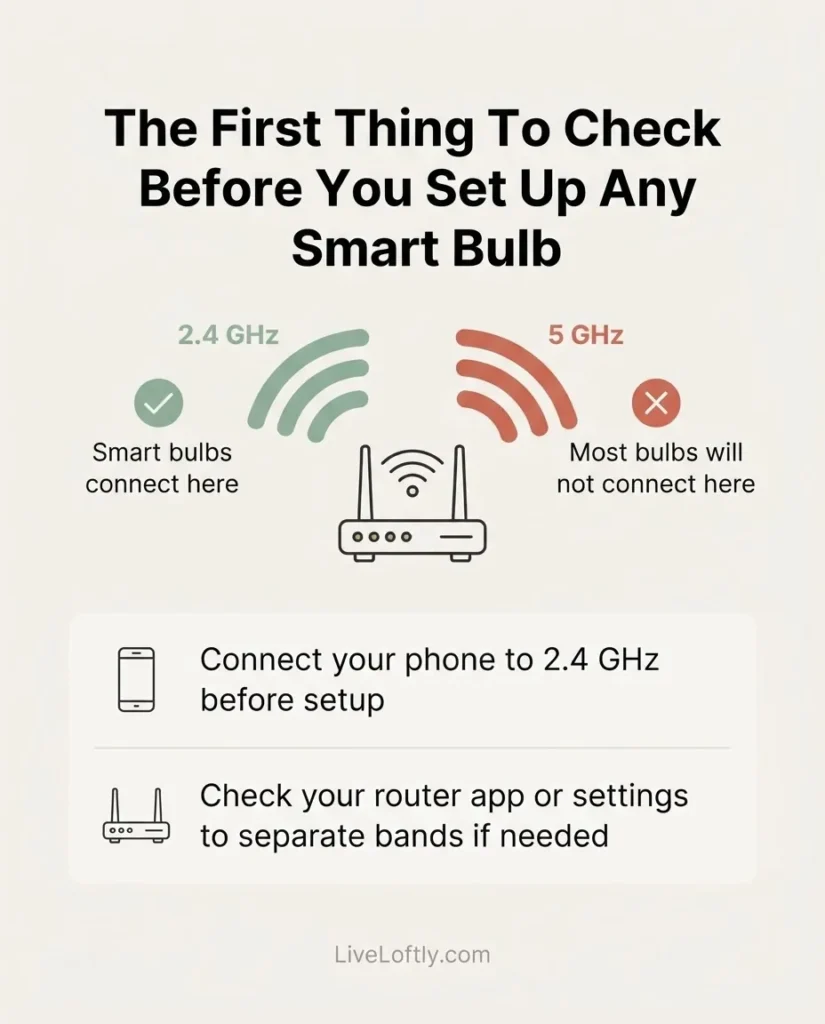
Before you look at a single product, check your Wi-Fi band. This is the thing most buying guides bury at the bottom, and it is the reason more smart bulbs get returned than any other.
Nearly every Wi-Fi smart bulb on the market only connects to the 2.4GHz band. They will not connect to a 5GHz-only network, period. Many modern routers broadcast both bands under the same name, and your phone might be sitting happily on 5GHz while your new smart bulb stubbornly refuses to pair, with no clear error message to explain why.
Here is how to check on iPhone: open Settings, tap Wi-Fi, and look at the network your phone is connected to. Some routers label the bands separately (something like “HomeNetwork” for 2.4GHz and “HomeNetwork_5G” for 5GHz). If yours does, connect your phone to the 2.4GHz network during setup. If your router uses a single unified name for both bands, look in your router’s admin app or settings page for a band-steering or split-band option. The Connectivity Standards Alliance’s guidance on Matter devices and Wi-Fi networks recommends keeping smart home devices on a stable, accessible network, and for most Wi-Fi bulbs that means 2.4GHz.
Check this first. It will save you an hour of frustration and possibly an unnecessary return.
Do Smart Bulbs Need a Hub? (Most Don’t)
A hub is a separate box that acts as a translator between your smart devices and your Wi-Fi network. Some smart home systems, like Philips Hue at its full feature level, use one. Most beginner-friendly bulbs today do not need one.
The majority of smart bulbs from WiZ, GE Cync, Wyze, and similar brands connect directly to your Wi-Fi router. No hub, no bridge, no extra purchase. You download the free app, the bulb shows up, you give it your Wi-Fi password, and you are done.
Philips Hue is the exception worth mentioning. Hue bulbs support Bluetooth for basic on-off and dimming control without any hub, but to unlock schedules, remote access when you are away from home, and the full automation suite, you need the Hue Bridge, which is a small box you plug in near your router. That bridge costs extra, which is part of why Hue is a premium pick rather than a first-timer pick for most people.
For beginners, I recommend starting hub-free. Keep it simple.
Do Smart Bulbs Cost a Monthly Fee? (Usually No)
This is a question I hear constantly, and the short answer is: no, most do not. WiZ, GE Cync, Wyze, and LIFX all let you use the full app, schedules, automations, and voice control for free. You buy the bulb, you download the free app, and that’s it. No subscription required.
Philips Hue does not require a subscription either for standard use. It launched a Hue Sync subscription for entertainment features tied to media, but your bulbs work completely without it for everything a beginner would actually use.
If you ever see a smart home product that requires a subscription just to turn a light on and off from your phone, that is a skip. There is no shortage of options that do not ask for that.
What Type of Smart Bulb Do You Actually Need?
This is where a lot of beginners overspend, because the color-changing bulbs look exciting in product photos. Before you buy a box of 16-million-color bulbs for your kitchen, it is worth asking whether you will actually use colors other than warm white.
There are three tiers:
Dimmable white only. These do one thing: turn on, turn off, and dim. They are the most affordable, and honestly the most useful for most lamps and ceiling fixtures. If all you want is to schedule your lights and control them from your phone, this is enough.
Tunable white. These let you adjust the color temperature, meaning you can go from a warm, cozy yellow-orange glow in the evening to a crisp daylight-style white in the morning. This is genuinely useful and more subtle than color-changing. Many people find this has more impact on daily mood and comfort than full color does.
Full color. These give you the whole spectrum, including reds, blues, greens, and everything in between. Great for accent lamps, a bedroom where you actually want atmosphere, or a specific corner of a room. For overhead kitchen lighting, probably overkill. Most beginners buy full-color bulbs for every fixture and use the white setting 95 percent of the time.
My honest take: start with one or two full-color bulbs in spots where you will actually notice the color, like a bedside lamp or a living room accent light.
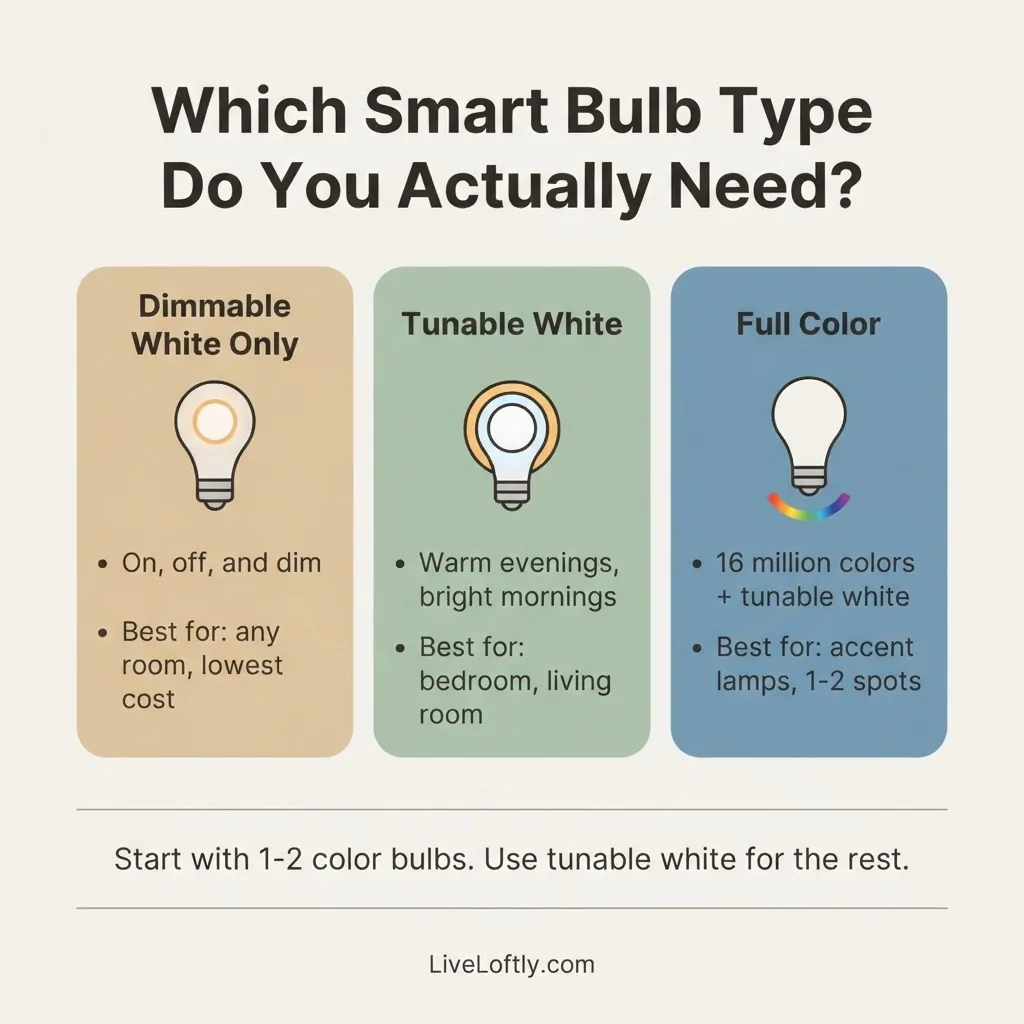
Use tunable white or plain dimmable bulbs for everything else. You will not regret the restraint.
On brightness: for a standard lamp replacing a 60-watt incandescent, look for 800 lumens. For a 75-watt equivalent, look for around 1,100 lumens. Those numbers matter more than the wattage of the LED itself. According to Wirecutter’s testing, lumen output and consistency across dimming levels are the metrics that separate good smart bulbs from disappointing ones in real-room use.
The Best Smart Bulbs for Beginners: Honest Picks by Budget
Here are the options I’d actually point someone to, organized by what makes sense at different starting points. These are not the flashiest picks or the ones with the most spec-sheet bragging. They are the ones that set up easily, work reliably, and do not surprise you with hidden costs.
The Plain-English Starter Pick: WiZ Color A19
WiZ is the brand I point most first-timers to, and the reason is simple: it is easy, affordable, genuinely reliable, and does not require anything extra. The WiZ Color A19 connects directly to your 2.4GHz Wi-Fi, no hub needed. It works with both Alexa and Google Home. The WiZ app is clean and straightforward. You get full color, tunable white, and scheduling, all for free.
From what users consistently report, the WiZ setup process is one of the smoothest of any Wi-Fi bulb. The app walks you through it step by step and the connection holds reliably day to day. WiZ is owned by Signify, the same company behind Philips Hue, which is probably part of why the app experience feels more polished than the typical budget smart bulb.
The WiZ Color A19 is available in single packs and two-packs, which is a good way to start small and see if smart lighting clicks for you before buying a case.

- ACTIVATE WITH MOTION – With a minimum of two WiZ lights in the same room at least 2m/6.56ft apart you can activate Space…
- DAYLIGHT – This bright white color temperature offers a true white color in any indoor space. It is recommended for kitc…
- EASY TO SET UP – Start enjoying the benefits of the smart features instantly. Just screw in your new bulb download the W…
The Budget Runner-Up: GE Cync Full Color A19
GE Cync is another strong option for beginners, particularly if you want something from a brand name you already trust. Cync connects via both Bluetooth and Wi-Fi, which means you can get basic control working with just Bluetooth even before you tackle the Wi-Fi setup, which is a nice safety net for first-timers.
GE has also made several Cync models Matter-compatible, which is worth understanding. Matter is the new universal smart home standard managed by the Connectivity Standards Alliance, and it means a Matter-certified bulb can work with Alexa, Google Home, Apple Home, and SmartThings all at once, without choosing one ecosystem and being stuck with it. For a beginner who is not sure which voice assistant they will land on long-term, that flexibility is genuinely useful. GE’s own Matter overview page confirms which Cync products carry that certification, so you can double-check before you buy.
The Cync Full Color A19 2-pack lands in a similar price range to WiZ. No subscription required. Works with Alexa and Google Home.

- Smart bulbs that work with Alexa: Directly connect these smart LED bulbs to your Google Assistant or Amazon Alexa (sold …
- Wi-Fi light bulbs: Easily connect these smart light bulbs directly to your Wi-Fi router, providing voice control for you…
- Manage your smart bulbs away from home: Get added home security and convenience by controlling your Wi-Fi light bulbs wi…
The Affordable Option Worth Knowing: Wyze Bulb Color
Wyze has built its entire brand around one principle: put features in your hands at a price that makes other brands look expensive. The Wyze Bulb Color is a full-color, tunable white A19 that connects directly to Wi-Fi, works with Alexa and Google Home, and requires no hub and no subscription. The app is a little more cluttered than WiZ’s, but the functionality is solid.
One thing to know: Wyze uses the same 2.4GHz Wi-Fi requirement as every other Wi-Fi bulb on this list. Same first-step applies.
From what users report, Wyze bulbs are dependable for the price. They are particularly popular for people who are already in the Wyze ecosystem (camera, plug, doorbell) and want everything in one app. If you are not already a Wyze household, WiZ or Cync might offer a cleaner onboarding experience, but if budget is the top priority, Wyze is worth a serious look.

- 2-pack of A19 LED bulbs; replace standard E26 base lamps with smart technology, adding dynamic color changes and tunable…
- Color changing RGB and tunable white technology from 2700K to 5000K
- Control dimming and color selection with the STARFISH app
The Premium Pick (For When You’re Ready to Build a System): Philips Hue
Philips Hue is not a beginner’s first bulb. I want to be honest about that. But it is worth mentioning, because it is the name people hear most, and they deserve an honest comparison rather than a vague “it’s great.”
Hue bulbs are genuinely excellent. The color accuracy is among the best available, the app is polished and reliable, the ecosystem is the deepest in the category, and the Zigbee-based communication via the Hue Bridge is noticeably more responsive and stable than Wi-Fi bulbs for some users. If you know you want to build out a full smart lighting system, cover multiple rooms, add motion sensors, and create complex automations, Hue is probably where you will end up.
But here is the honest math: a Hue starter kit with the Bridge and a few bulbs costs several times more than a WiZ two-pack. For someone who wants to try one smart bulb and see if they like it, that is a significant gamble. The official Philips Hue starter kit setup page walks you through the Bridge setup clearly, and the process is genuinely smooth once you have the hardware. But “once you have the hardware” is the catch.
My take: start with WiZ or Cync. If you love smart lighting and find yourself wanting more, Hue will still be there and will make more sense as an investment once you know you are committed.
- ACTIVATE WITH MOTION – With a minimum of two WiZ lights in the same room at least 2m/6.56ft apart you can activate Space…
- DAYLIGHT – This bright white color temperature offers a true white color in any indoor space. It is recommended for kitc…
- EASY TO SET UP – Start enjoying the benefits of the smart features instantly. Just screw in your new bulb download the W…

- WHAT’S IN THE BOX – Includes two White and Color Ambiance smart 60W-equivalent A19 color-changing light bulbs and one Br…
- UNLOCK THE FULL POWER OF HUE – Enjoy automations, control from anywhere in the world, and a secure, stable connection th…
- MILLIONS OF COLORS – The White & Color Ambiance range offers both warm-to-cool white and millions of colors straight out…
Ecosystems Explained in Plain English: Alexa, Google, Apple, and Matter
If you already own an Amazon Echo or a Google Nest speaker, buy a bulb that is certified to work with that ecosystem and you are done. This is not complicated.
- Alexa (Amazon Echo): Works with WiZ, GE Cync, Wyze, Philips Hue, and most major smart bulb brands.
- Google Home (Google Nest): Same story. WiZ, Cync, Wyze, Hue all support it.
- Apple Home (HomeKit/Siri): Fewer options here. Philips Hue supports HomeKit. Some WiZ and Cync models do via Matter. If you are an Apple household and want everything in the Apple Home app, check the product listing specifically for “Works with Apple Home” before buying.
- Matter: This is the newer universal standard that lets one device work across all four of the above systems. If a bulb says “Matter-compatible,” it will work with Alexa, Google Home, Apple Home, and SmartThings. For most beginners, this is a nice-to-have. If you use multiple voice assistants in your home, it is genuinely useful.
You do not need to fully understand Matter to benefit from it.
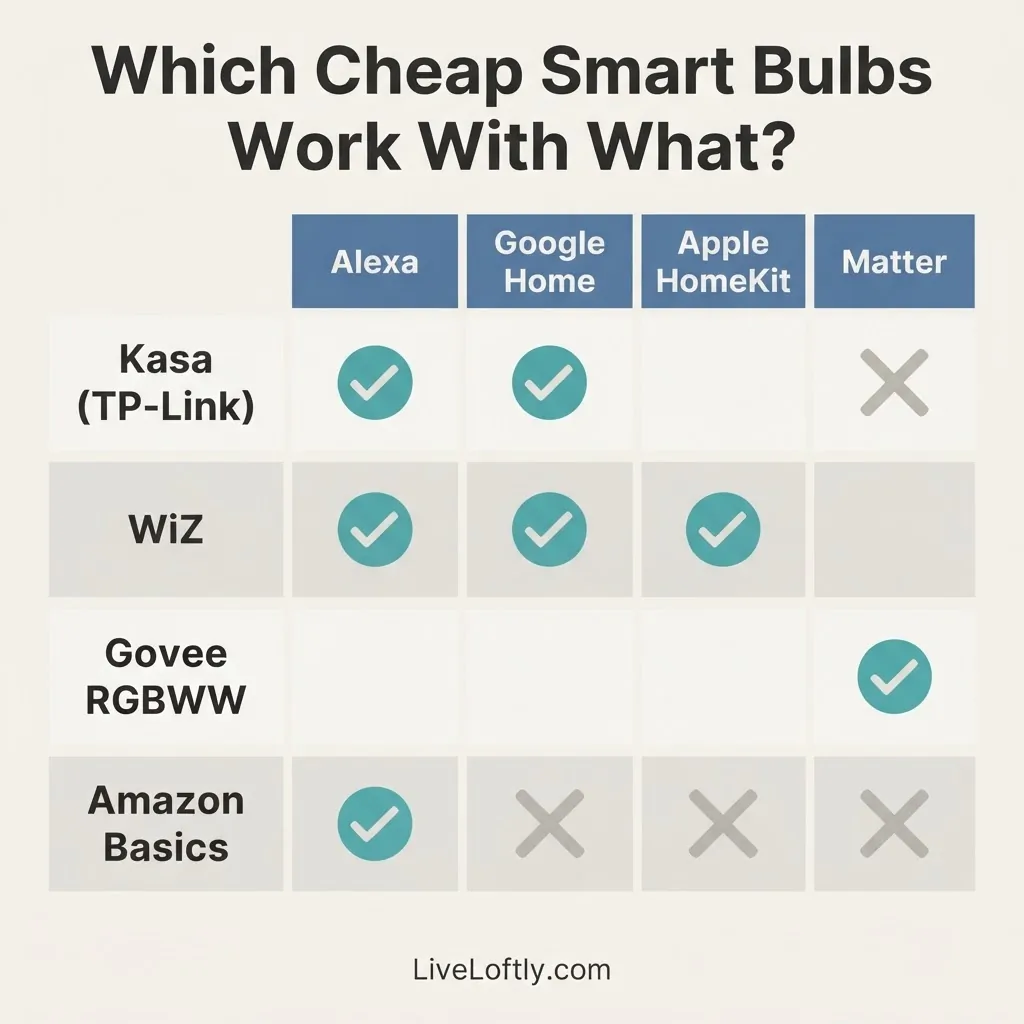
Just know that if you see the Matter badge on a box, that bulb will not lock you into one ecosystem. The Connectivity Standards Alliance has a helpful Matter FAQ page if you want the full picture without the tech-press jargon.
How to Set Up a Smart Bulb: The Actual Steps
This applies to any Wi-Fi smart bulb (WiZ, Cync, Wyze, and similar). The process is more or less the same across brands.
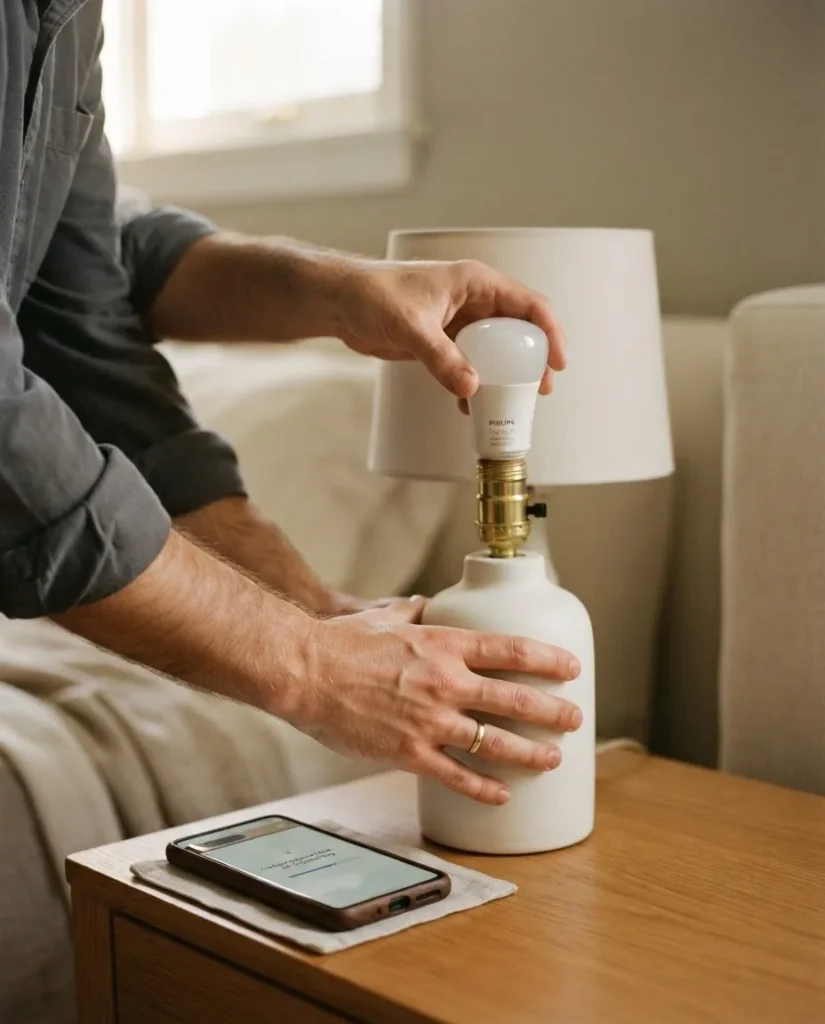
- Screw the bulb into a standard E26 socket (the regular size used in most US lamps and ceiling fixtures). Make sure the physical switch for that fixture is on.
- Download the brand’s free app on your phone. For WiZ: the WiZ app. For GE Cync: the Cync app. For Wyze: the Wyze app.
- Create a free account or log in.
- Before tapping “Add Device,” connect your phone to your 2.4GHz Wi-Fi network. This is the step most people skip and then spend an hour wondering why the bulb won’t appear.
- In the app, tap the “+” or “Add Device” button and follow the on-screen prompts. The app will ask for your Wi-Fi password and connect the bulb automatically.
- Name the bulb something logical (e.g., “Living Room Lamp” or “Bedside Light”). This matters because you will use this name with your voice assistant.
- Open the Alexa or Google Home app and link the brand’s skill or integration. Search for WiZ, Cync, or Wyze in the skills section, enable it, and the bulb will appear. Then you can say “Alexa, turn on the living room lamp.”
- Set a schedule if you want. Most apps let you do this in under two minutes. I have mine set to dim automatically at 9pm. That one automation has genuinely changed our evening routine.
That is the whole process. If a bulb does not connect at step 5, the first thing to check is whether your phone is on 2.4GHz, not 5GHz.
A Note on Energy Use (Because Someone Always Asks)
Smart bulbs do draw a tiny amount of standby power even when they appear to be off, because the wireless chip has to stay awake to receive commands. According to Philips Hue’s own FAQ on smart bulb electricity use, this standby draw is minimal, typically in the range of a fraction of a watt. Published research puts the figure at roughly 0.2 to 0.5 watts for standby on most smart LED models, which over the course of a year adds up to pennies.
In the meantime, the scheduling and automation features on a smart bulb typically reduce your total light usage by making it easier to never leave lights on accidentally. On balance, most households come out even or slightly ahead on energy costs. It is not the reason to buy or skip a smart bulb, but it is not the gotcha some people expect it to be either.
Worth It or Skip It? My Honest Verdict
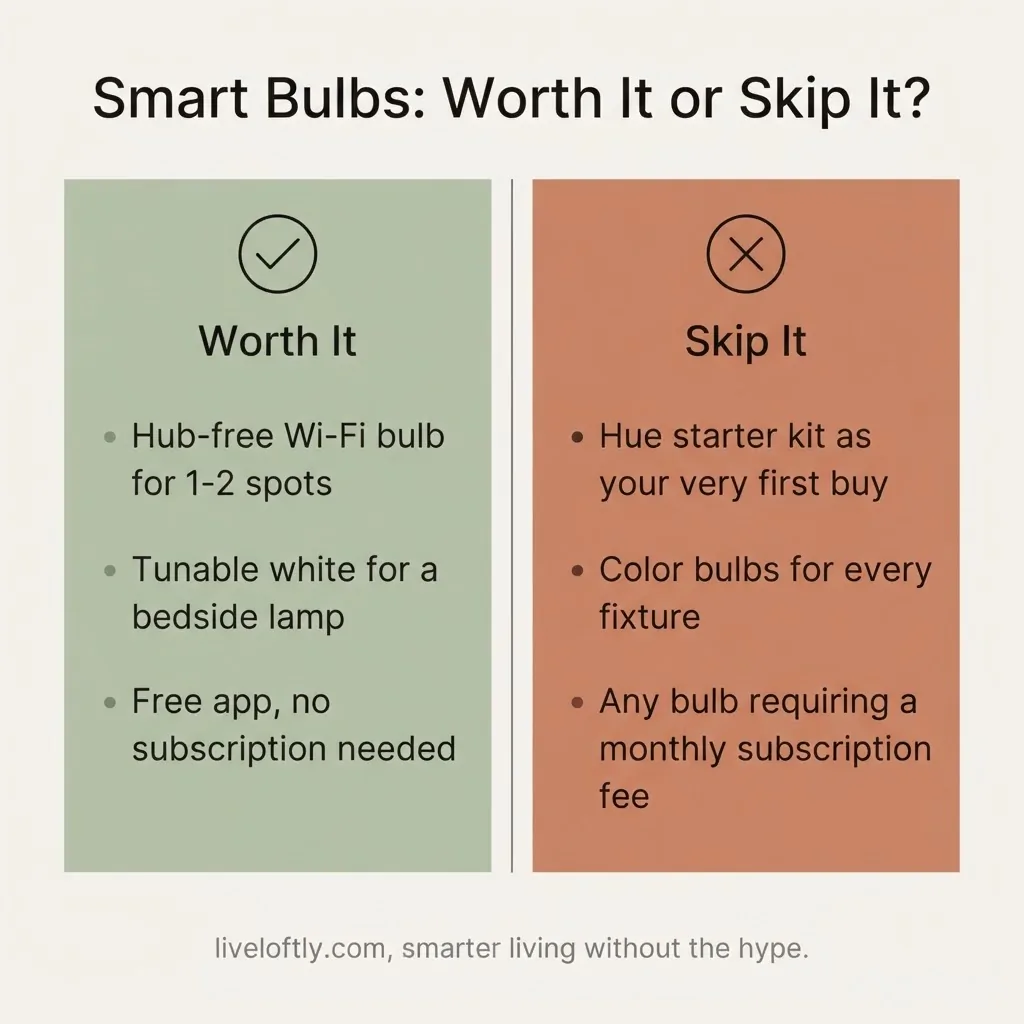
Worth it:
- A WiZ or Cync color bulb in one or two spots you actually use, for around the cost of a takeout dinner for two.
- A tunable white bulb for a bedside lamp, especially if you have trouble winding down in the evening.
- Any hub-free Wi-Fi bulb that works with your existing voice assistant.
Skip it:
- A full Philips Hue starter kit as your very first smart home purchase. It is genuinely good, but the cost of entry is high when you do not yet know if smart lighting is something you will actually use. Start cheaper, and upgrade if you fall for it.
- Color-changing bulbs for every fixture in the house. You will use the warm white setting for 90 percent of daily life. Reserve color for accent spots.
- Any smart bulb that requires a subscription just to use its basic app features. They exist, and there is no reason to buy one.
- Cheap no-name smart bulbs that have no established support, no warranty, and sketchy app permissions. The slight savings are not worth the pairing headaches or the privacy question marks.
FAQ: The Questions Beginners Ask Most
Do smart bulbs work without Wi-Fi?
Most Wi-Fi smart bulbs need an active Wi-Fi connection to work with app control, schedules, and voice assistants. Some bulbs, including GE Cync, also support Bluetooth for basic local control even without Wi-Fi. But if your internet is down, remote control and schedules will not function on a standard Wi-Fi bulb. The physical switch will always work.
Do smart bulbs need a hub?
Most beginner-friendly smart bulbs do not require a hub. WiZ, GE Cync, Wyze, and most other mainstream brands connect directly to your home Wi-Fi. Philips Hue requires its Hue Bridge for full remote access and automation, though Hue bulbs also support Bluetooth for basic local control without the bridge.
Do smart bulbs require a monthly subscription?
No. The major brands, including WiZ, GE Cync, Wyze, and Philips Hue, do not require a subscription for standard use. The app is free. You download it, set up your bulbs, and use it at no ongoing cost. If you see a smart bulb that requires a subscription just for basic app control, skip it.
Will smart bulbs work with my existing lamp or ceiling fixture?
Yes, if the socket is a standard E26 medium-base socket, which is the most common type used in the United States. Check the existing bulb in the fixture before buying. If it uses a standard screw-base, a smart A19 bulb will fit. Specialty fixtures with candelabra or GU10 sockets will need a different bulb size.
What happens if I flip the wall switch off?
If the physical wall switch is turned off, it cuts power to the socket and the smart bulb goes dark. It also cannot receive app or voice commands until the power is restored. The solution most people land on is either leaving the wall switch always on and using the app or voice control instead, or adding a smart switch cover or a simple remote that prevents the switch from being used.
One Last Thing Before You Buy
Start with one bulb. Seriously. Pick a lamp you already use every day, buy one WiZ or Cync bulb, spend ten minutes setting it up, and see how you like it. If you find yourself reaching for the app instead of the switch within a week, that tells you everything. If you forget it’s there, you just saved yourself from buying six of them.
The best smart home is the one you actually use. A single bulb that works reliably beats a house full of half-connected gadgets that live in a drawer by April. Start small, see what earns its spot, and build from there.